The Velogics platform
One workspace for everything your AI agents do.
The agents do the work. This is where you see it, step in and run the rest of the business. It comes with AI Front Desk, the base of every plan.
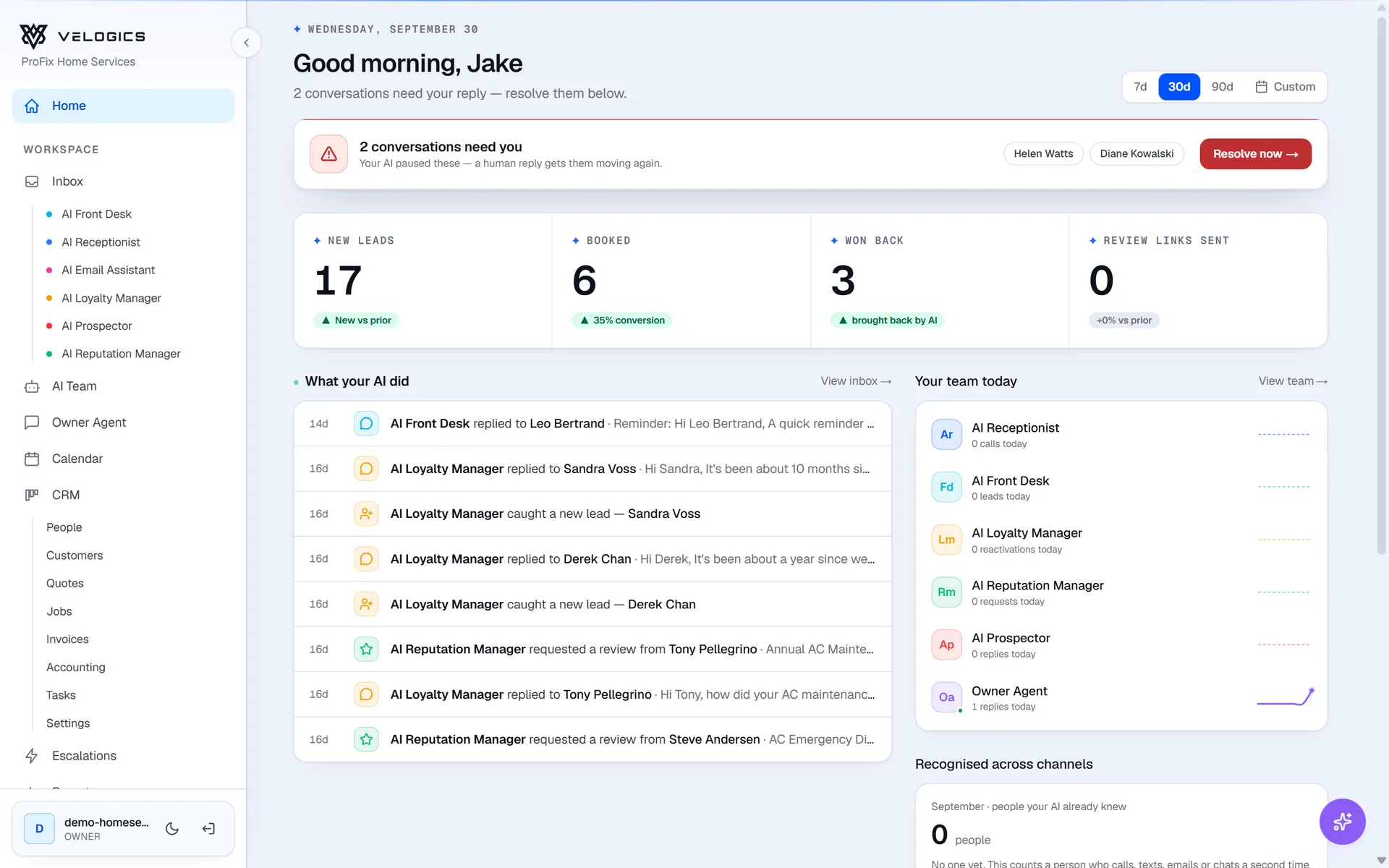
Calls, chats, forms, texts and emails land in one inbox, and you can group each person's conversations together. Send a reply yourself and the AI pauses on that conversation, so you and the AI don't both answer.
- A contact banner shows who you're talking to
- Past conversations and bookings in view before you reply
- No answer to your team's text or email? The AI checks in once, two days later
- Each text shows whether it was delivered, and why not when it wasn't
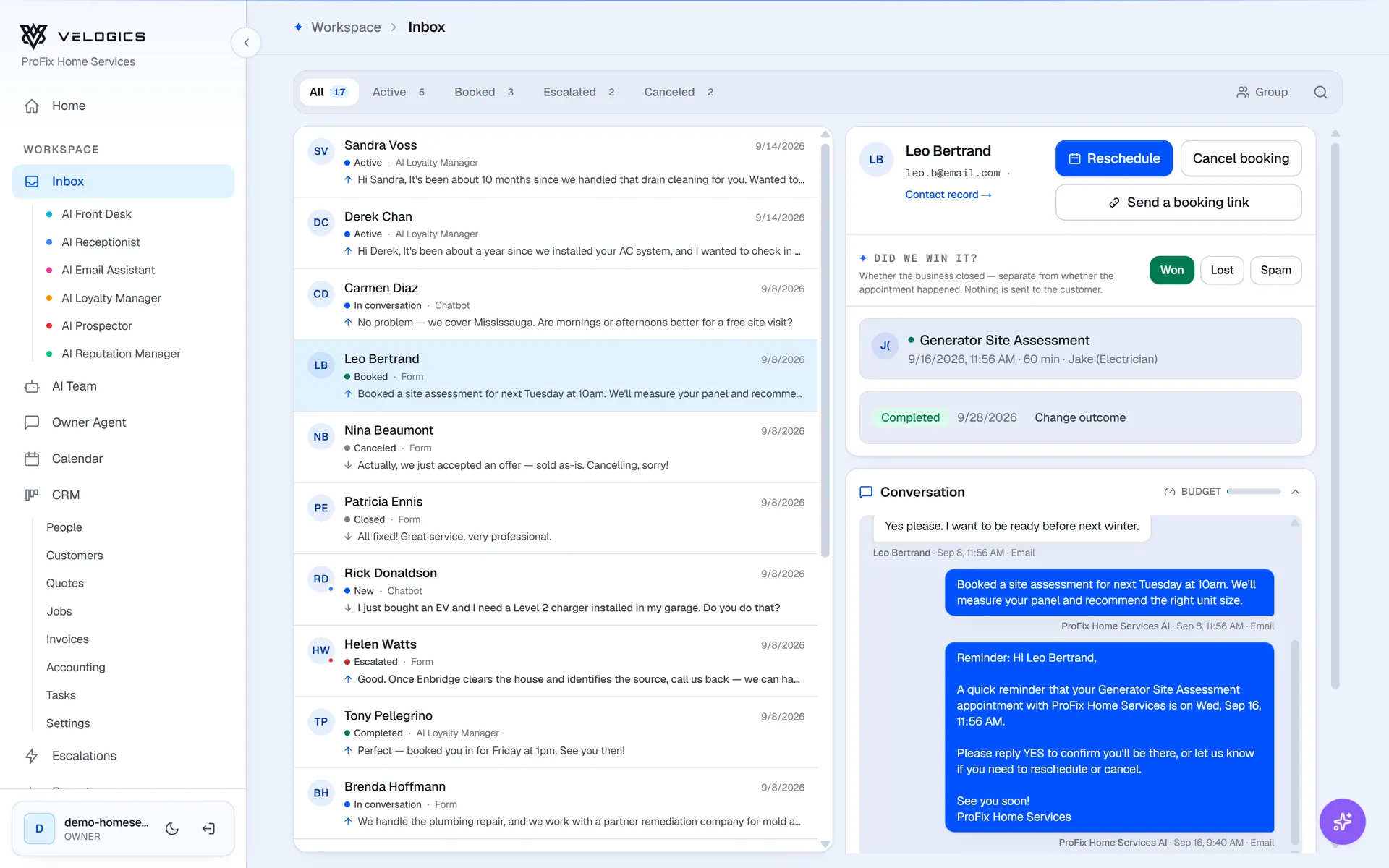
Urgent and tricky conversations go to the escalations queue. The Escalation Copilot writes a short brief and a suggested reply, so you can answer quickly or take over.
- An email reminder if an escalation is still open hours later
- When the AI promises a callback or a quote, your team gets a task for it
- A lead that looks like a scam gets a warning, without blocking the conversation
Velogics works with Google Calendar and Outlook: it books from your real availability, adds each booking to your calendar and routes it by the kind of booking, the service and the service area.
- A reminder before each visit
- A visit nobody marked gets a one-tap "How did it go?" email the next day
- Mark a no-show and they can get a message offering a new time
Routed by service + areaCalendar · Tuesday
Alex · East
Furnace repair
Orléans
Tune-up
Rockland
Jordan · West
Heat pump install
Kanata
Estimate
Stittsville
Sam · Central
AC repair
Glebe
Water heater
Westboro
Tune-up
Vanier
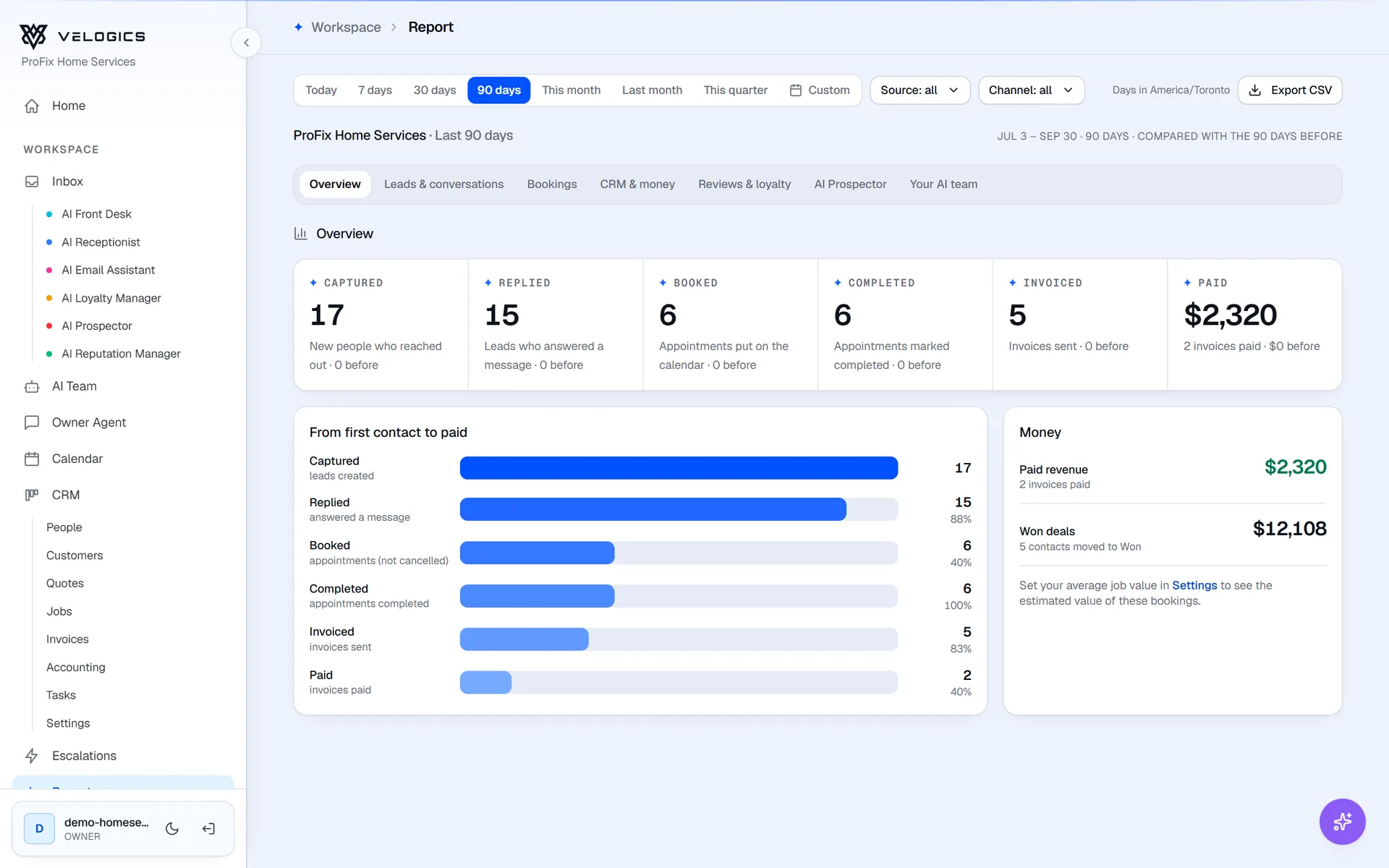
Reports follow every lead from the first message to the paid invoice, with a tab for leads, bookings, money, reviews and each AI employee. Filter by date range, source or channel, and export any of it as CSV. Every week, the Revenue Receipt email sums it up for you.
- How fast the AI replied, and how often it needed you
- Quotes, invoices and what's overdue, in the same report as your leads
The invoices you send from the CRM become the files tax time needs: an invoice register, payments received and a tax summary for any quarter or year, plus who owes you what, aged by due date.
Quotes, invoices and accounting in the CRM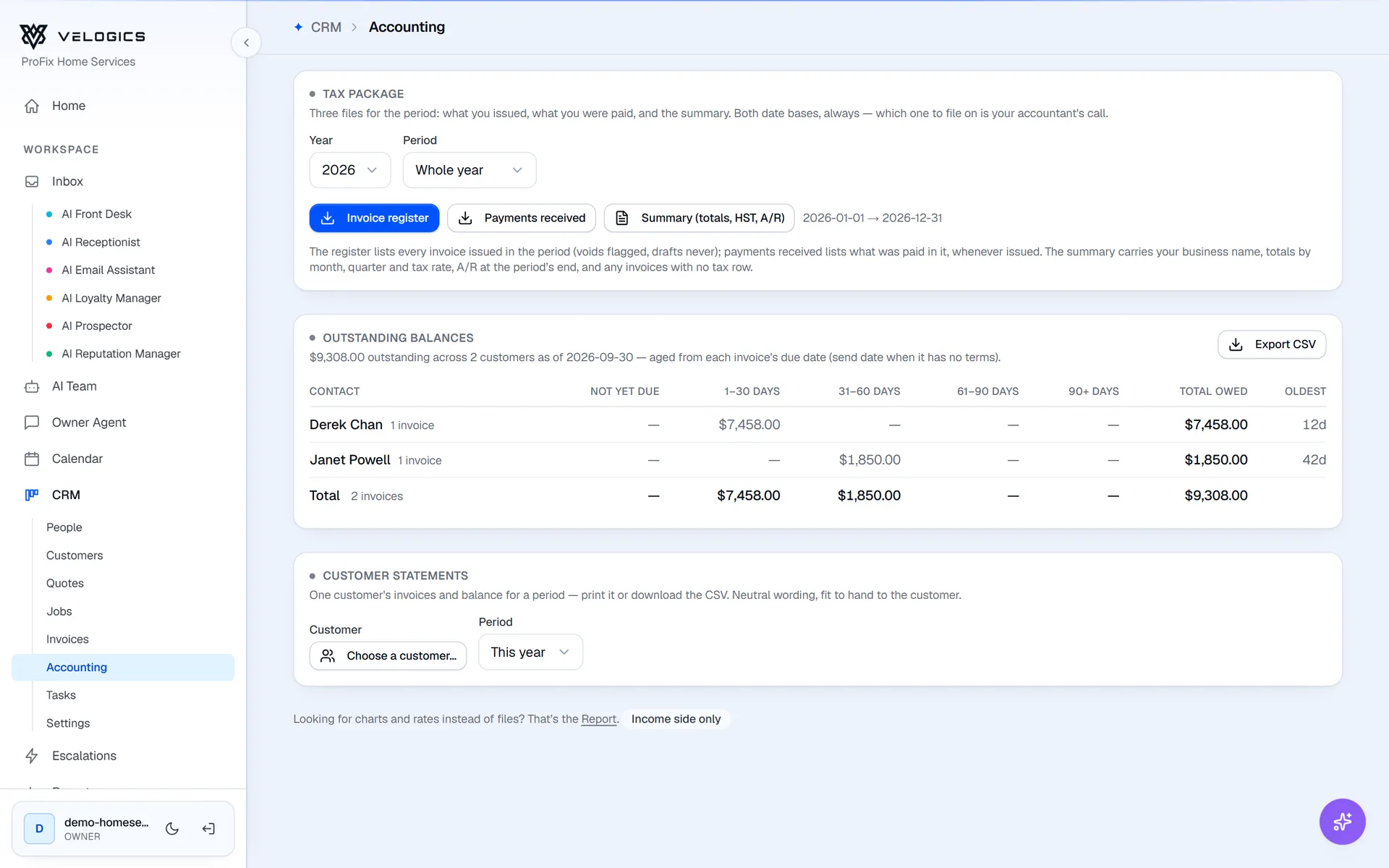
Also in the workspace
The rest of the back office, built in.
Knowledge base
Your services, prices, hours, service area and policies. Every agent answers from it, and weekly suggestions show the questions it couldn't answer.
Team roles and audit trail
Give each teammate a role with the access they need. Changes are recorded in an audit trail.
Command palette
Press ⌘K to get around the app from your keyboard. Dark mode is there too.
Built-in CRM
Contacts, pipeline, quotes, jobs and invoices, updated as the AI works.
Owner Agent
Text your business the way you'd text an office manager. It looks things up, takes notes and drafts quotes.
Integrations
Google Calendar, Outlook, HubSpot, Follow Up Boss and Google Business Profile, plus embeds for any website.
FAQ
Common questions
What's included in every plan?
Every plan starts with AI Front Desk, which includes the Velogics workspace: the unified inbox, the escalations queue, calendar sync and routing, the knowledge base, the built-in CRM, reports and the weekly Revenue Receipt, and team roles with an audit trail.
Does the AI remember a customer across channels?
Yes. Before it replies, the AI reads that person's other conversations and bookings, so someone who called last week and texts today doesn't have to start over.
How do I know when I'm needed?
Escalations reach you by email, or by text if you turn that on, and you can switch on alerts for new bookings too. You can also get an email for each new lead, and a morning recap with a short list of who's worth a call. When you've taken over a conversation and the customer writes back, you're told that too. Everything else waits in the inbox for whenever you want to look.
Can I use it on my phone?
Yes. The whole workspace works in your phone's browser, from the inbox and calendar to quotes and invoices. There's nothing to install.
What happens when the AI can't handle something?
It escalates the conversation instead of guessing. You get a brief and a suggested reply, and if it was a question the knowledge base didn't cover, it shows up in your weekly suggestions.
See the whole workspace in one demo.
We'll walk you through the inbox, escalations, calendar, CRM, reports and accounting, and answer your questions on a live call.