Owner Agent
Your back office, by text or in the app
Run your business by text, or right in the app.
You're on a job site, not at a desk. Text the Owner Agent the way you'd text an office manager, or open it from any page of the app. It checks your day, tells you who owes you, creates jobs, drafts quotes and records finished work. It asks before it changes a record, and anything a customer sees goes out only after your tap.
Velogics Owner Agent
Text message
4:12 PM
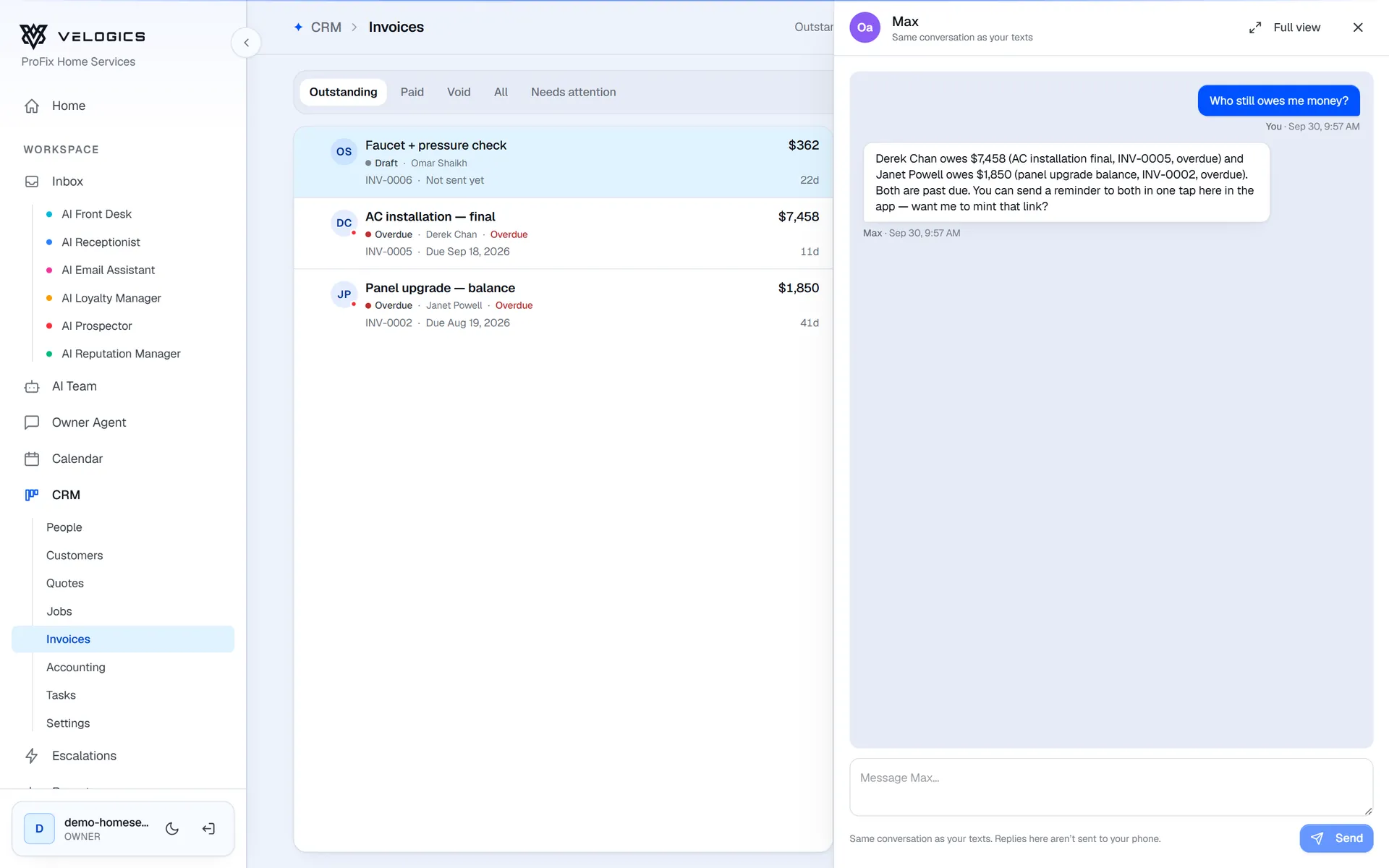
“What's on tomorrow?” “Who still owes me money?” “How did we do this month?” It answers from your calendar, quotes, invoices and jobs, and offers the next step, like a one-tap reminder to everyone who's overdue.
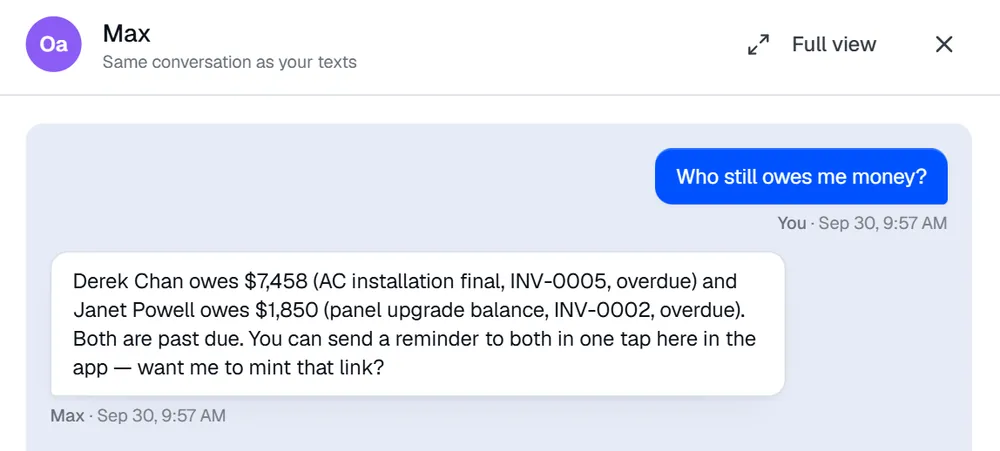
Text it from the truck, or open it beside whatever you're looking at in the app. It's one conversation either way, so you can start on the road and finish at the desk.
Tell it what the job needs and it creates a quote draft. Finish it in the app later, or have it send the quote once you tap the secure link it texts you.
How quotes work in the CRMAcceptedQuote Q-2214
Birchline Home Services
Prepared for Nora Walsh
High-efficiency furnace (96% AFUE) $4,200.00 Installation and haul-away $950.00 Smart thermostat $289.00 Subtotal $5,439.00 HST 13% $707.07 Total $6,146.07 QuoteJobInvoiceJob J-3308 created
What it can do
Every action has the right safety catch.
The more an action matters, the more the Owner Agent needs from you before it happens.
Looks up
Answers straight away
- Appointments, jobs and open tasks
- New leads, and what a customer said
- Quotes, invoices and who still owes you
- How the month went, reviews and campaign results
Does it now
Reply UNDO to take it back
- Add a note or create a task
- Tick off a task or create a job
- Draft a quote, or re-quote an old one
- Pause the AI on a conversation
Asks first
Waits for “Reply Y to confirm”
- Mark a job done, or an appointment a no-show
- Move a contact to a stage, or mark it won, lost or spam
- Mark an invoice as sent
- Update a contact's name, email or phone
Needs your tap
Secure link, works once, expires in 15 minutes
- Send a quote or an invoice
- Message a customer or ask for a review
- Remind everyone who owes you
- Cancel an appointment
- Mark an invoice paid
Keywords
- PAUSE
- Pauses the Owner Agent. Text RESUME to bring it back.
- STOP
- Also pauses it. Text START to bring it back.
- DEMO
- For ten minutes you're texting your customer-facing AI instead, so you can try it the way a customer would.
Velogics doesn't process payments. Marking an invoice paid records the payment; it doesn't collect it.
FAQ
Common questions
Who can text it?
It's switched on per business. Each owner on the account gets their own conversation, in the app and from the phone number they set up.
Do I need to install an app?
No. It works over ordinary text messages, and you can also open it from any page of the Velogics app. It's one conversation either way.
Does it ever text me first?
Yes. After an appointment, it can text to ask how the job went, so you can record it as completed with a quick reply.
Is it the same AI that talks to my customers?
No. The Owner Agent works for you and your back office. Your customers talk to the customer-facing agents, like AI Front Desk and the AI Receptionist.
How much does the Owner Agent cost?
$29/mo CAD with 100 messages a month, in the app or by text, added to AI Front Desk. It's also part of the All-in bundle.
See the Owner Agent on a demo.
We'll show you how it works with your calendar, quotes and invoices, and answer your questions about pricing on the call.